The New Standard
in Robot Design
Browser-native speed. Real physics.
We turn robot concepts into build-ready ROS 2 packages —
modeled, simulated, and validated without installing a thing.
-
01
Model in the browser
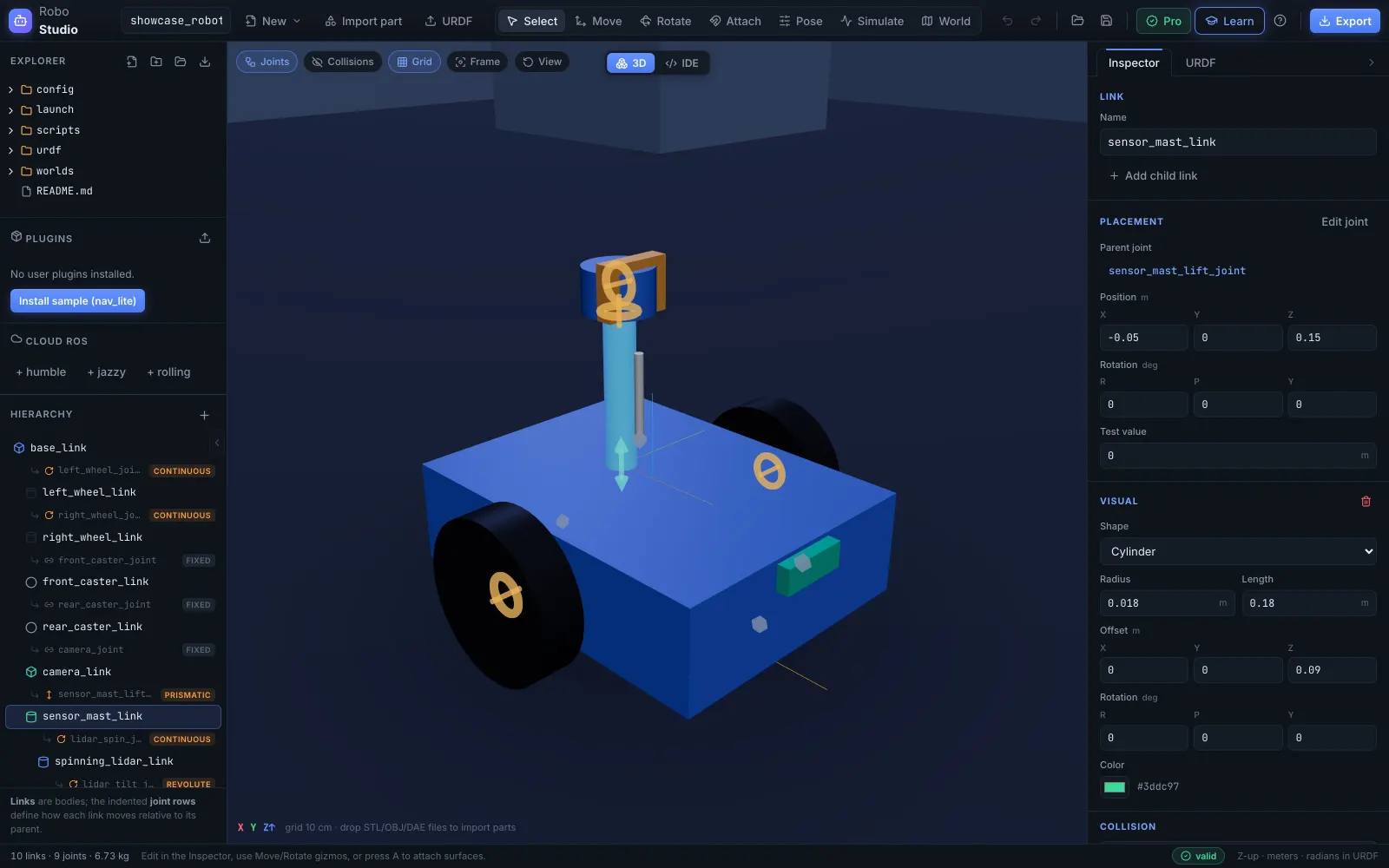
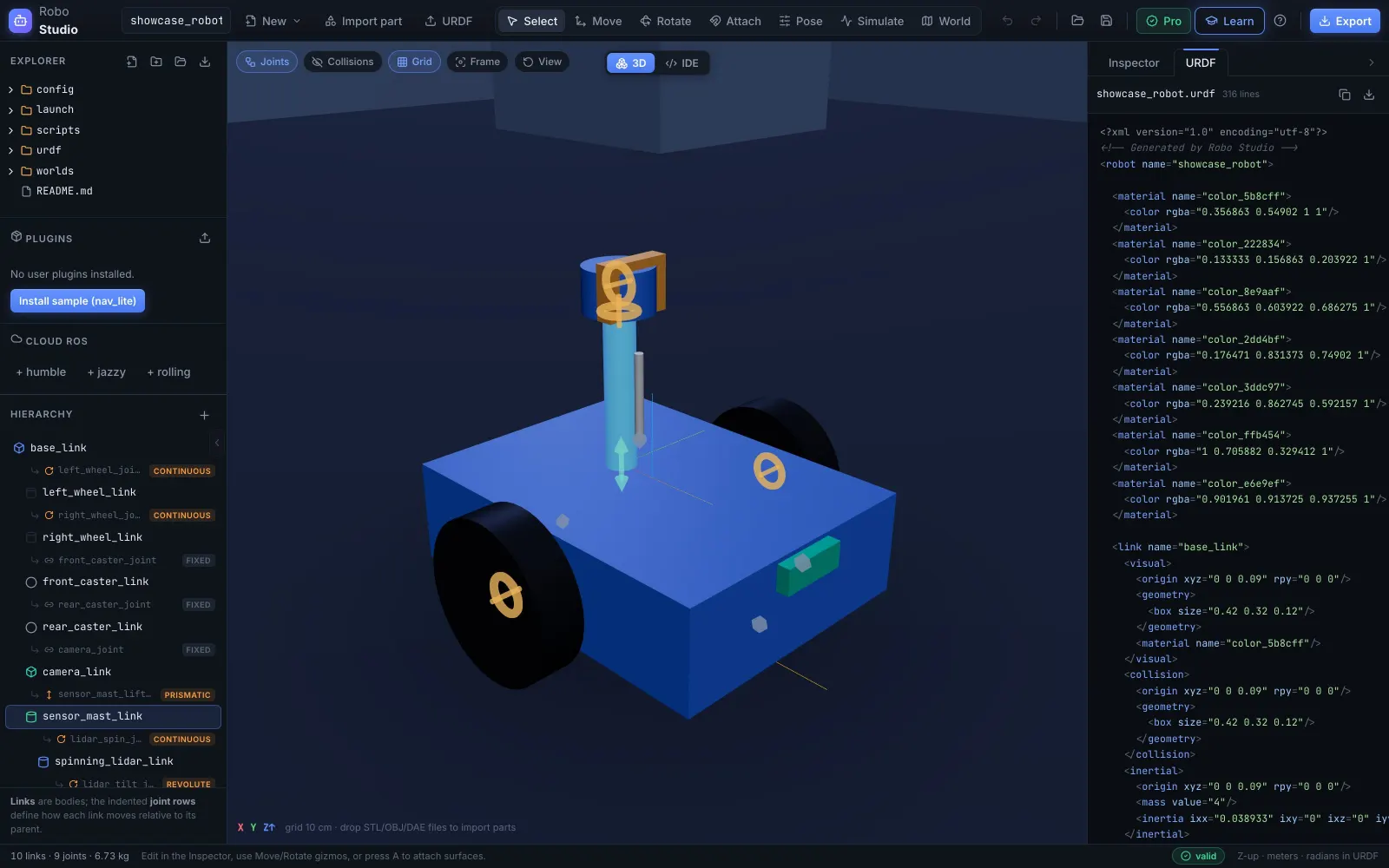
Drop in CAD meshes or build from primitives. Surfaces mate CAD-style, joints are color-coded 3D glyphs, and it's clean URDF underneath — no XML by hand.
-
02
Validate with real physics
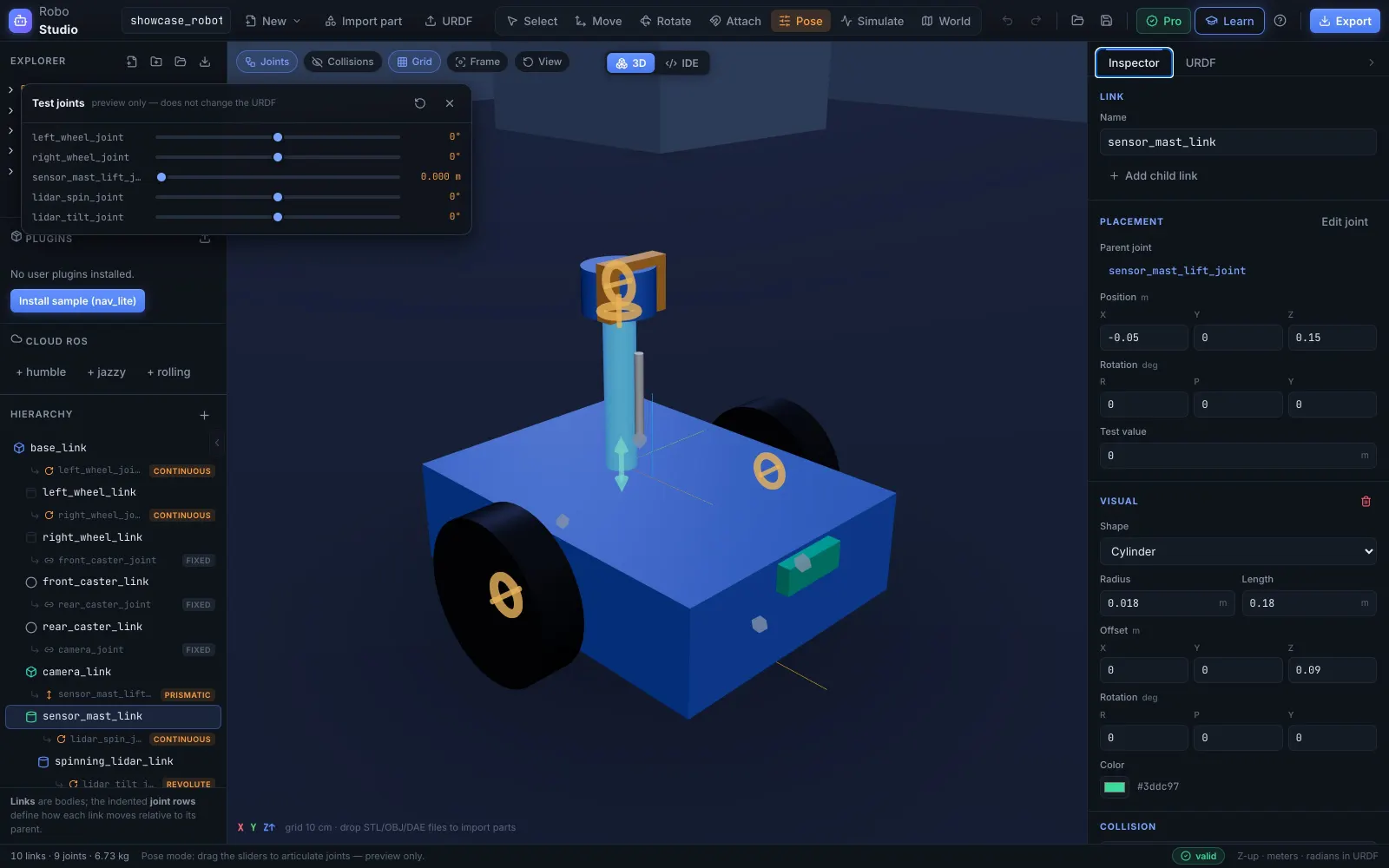
A WebAssembly physics engine drives the actual kinematic chain — gravity, motors, contact. Inertia tensors are computed for you, the step hand-written URDFs get wrong.
-
03
Drive it autonomously
Lidar, camera, IMU, and odometry feed a reactive planner that navigates to goals on its own — while a live occupancy map fills in behind it.
-
04
Ship a ROS 2 package
Export a complete ament package — URDF, meshes, launch files, ros2_control config. colcon build and go, or run it live on a hosted ROS 2 instance.
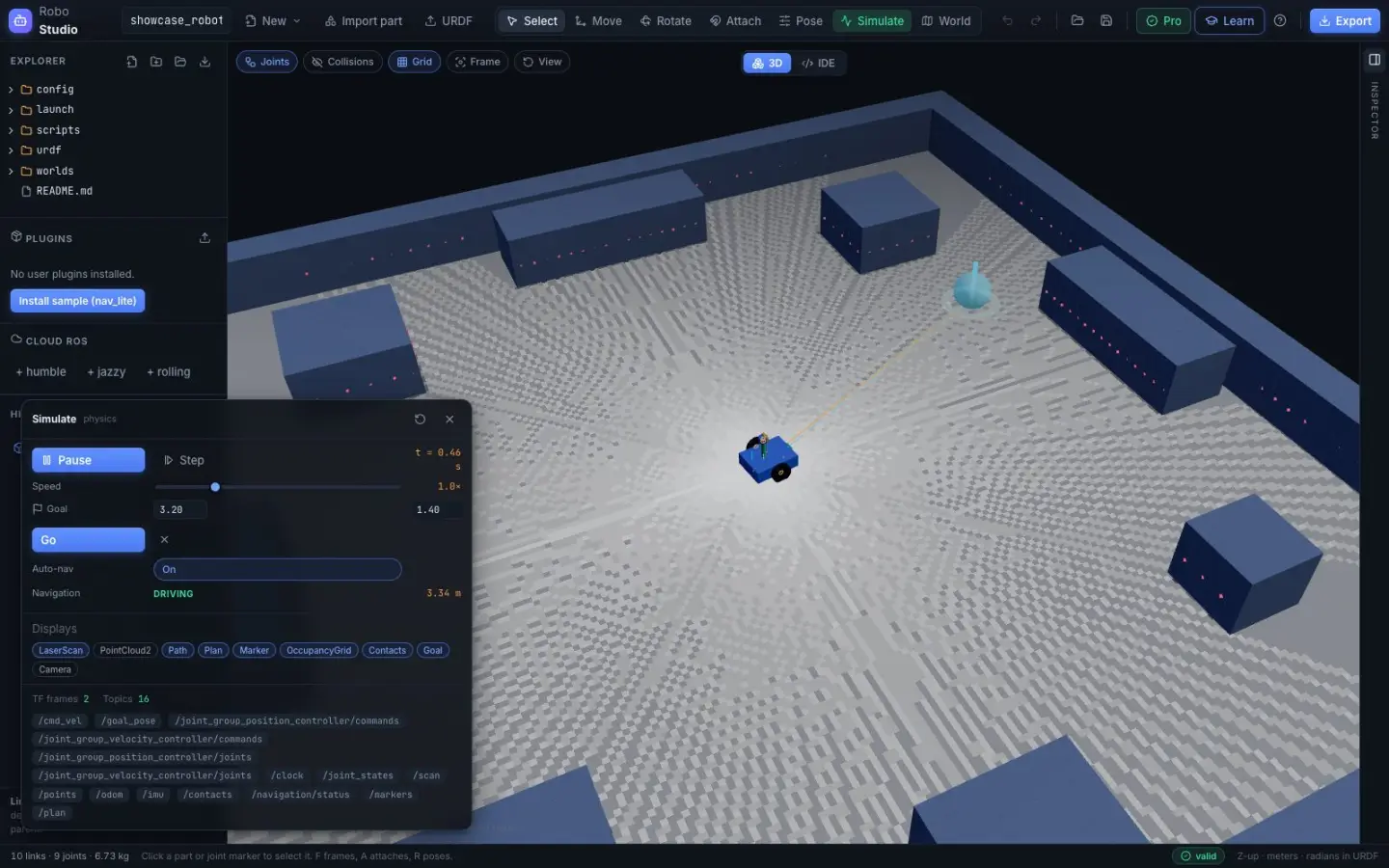
Simulate mode — real capture
Scroll to drive the simulation.
Captured straight from the app: the autonomous planner drives the showcase robot to a goal using only its onboard lidar, while the occupancy map fills in live. Your scroll scrubs the run — nothing is animated for effect.
Designed for today's robotics,
beyond legacy toolchains.
Visual modeling
We believe modeling is assembly, not markup. Mate surfaces like CAD, snap joints in millimeters and degrees, and let the editor keep the URDF valid by construction.
Physics, not playback
Every run is simulated, never scripted. Rapier compiled to WebAssembly resolves gravity, joint motors, and collisions, so failure modes surface before hardware does — no material wasted on failed prototypes, and no budget wasted either.
A sensor suite in the tab
360° lidar, RGB camera, IMU, and odometry with noise models — plus autonomous navigation and live occupancy mapping that exports in ROS map_server format.
Standard ROS 2 out
Exports are real ament packages — URDF, meshes, launch files, ros2_control — that keep working without us. No proprietary formats, no lock-in.
Inside the studio.
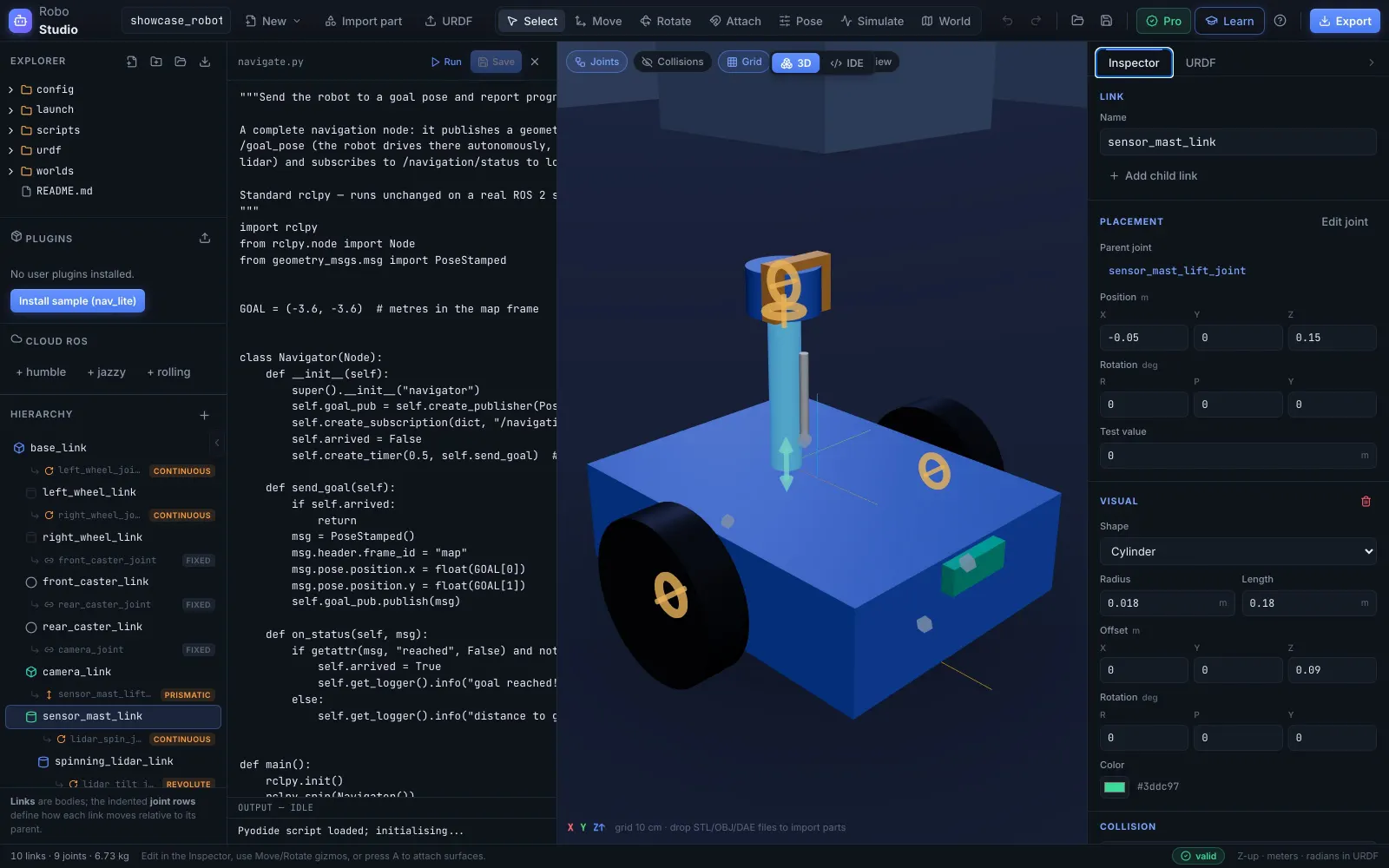
We are the bridge between browser-based design and real-world robots.
Start free. Upgrade when a design
is ready to leave the browser.
Free
$0 forever
A fully capable modeling and simulation environment on its own.
- Visual modeling, physics & validation
- Sensors, navigation, mapping, recording
- In-browser Python scripting
- Autosaved projects & URDF import
Pro
$29/month
Everything needed to take a design out of the browser.
- Everything in Free
- Unlimited CAD mesh imports
- Full URDF & complete ROS 2 package export
- Embedded IDE & terminal on instances
- 1 cloud ROS 2 instance · 240 credits/mo
Pro+
$60/month
For heavier or multi-robot work.
- Everything in Pro
- Up to 3 cloud ROS 2 instances
- 480 credits/mo
- 8 vCPU · 16 GB pooled compute — one big instance or split it across several
Compute credits reset each billing period and cover active runtime. Running out suspends your instances; restore credits and they start again. A suspended, idle instance and its workspace are permanently deleted 7 days after suspension, so top up or export your work before then.
Plans renew monthly — cancel anytime. The displayed price is the total you're charged — no tax is added. See the Terms of Service.
Road plan
Where this is going.
-
01
Digital twins
Bridge a real robot into its cloud instance — live motion mirrored onto your model, real sensor data flowing into the map builder.
-
02
Real-robot map building
The same live occupancy mapping, fed by a physical robot's sensors instead of simulated ones.
-
03
A Max plan
A tier above Pro+ for heavier compute — multi-robot fleets and bigger pipelines.
Questions,
answered.
Do I need ROS installed to use Robo Studio?
No. The editor, physics, sensor simulation, and Python scripting all run in the browser tab — WebAssembly and Web Workers, no local Gazebo, RViz, or ROS install. You only need ROS on the machine where you eventually deploy the exported package.
What exactly do exports contain?
A complete ament_cmake package: urdf/, meshes/, display and simulation launch files, a preconfigured RViz config, ros2_control.yaml, and a rosbridge launch — standard tooling you can colcon build and keep using outside Robo Studio. Targets Humble, Jazzy, or Rolling.
Is the simulation real physics or an animation?
Real physics. An in-browser engine (Rapier, compiled to WebAssembly) drives the actual kinematic chain — gravity, joint motors, ground contact, collisions. Inertia tensors are auto-computed from geometry and mass, with manual override available.
What is a cloud ROS 2 instance?
A real hosted ROS 2 stack — not a simulation of one — reachable over a rosbridge WebSocket, with an embedded IDE and browser terminal. Pro plans include monthly compute credits; running out suspends your instances, and a suspended, idle instance and its workspace are reclaimed 7 days later.
How is Robo Studio different from Gazebo + RViz?
Consolidation and accessibility. The usual chain is four disconnected installs — CAD/text editor, simulator, RViz, your ROS setup. Robo Studio covers the whole loop in one session, with the workspace files as the single source of truth end to end.